Panda can post to Instagram only after the account is a professional account and it is linked to a Facebook Page you control.
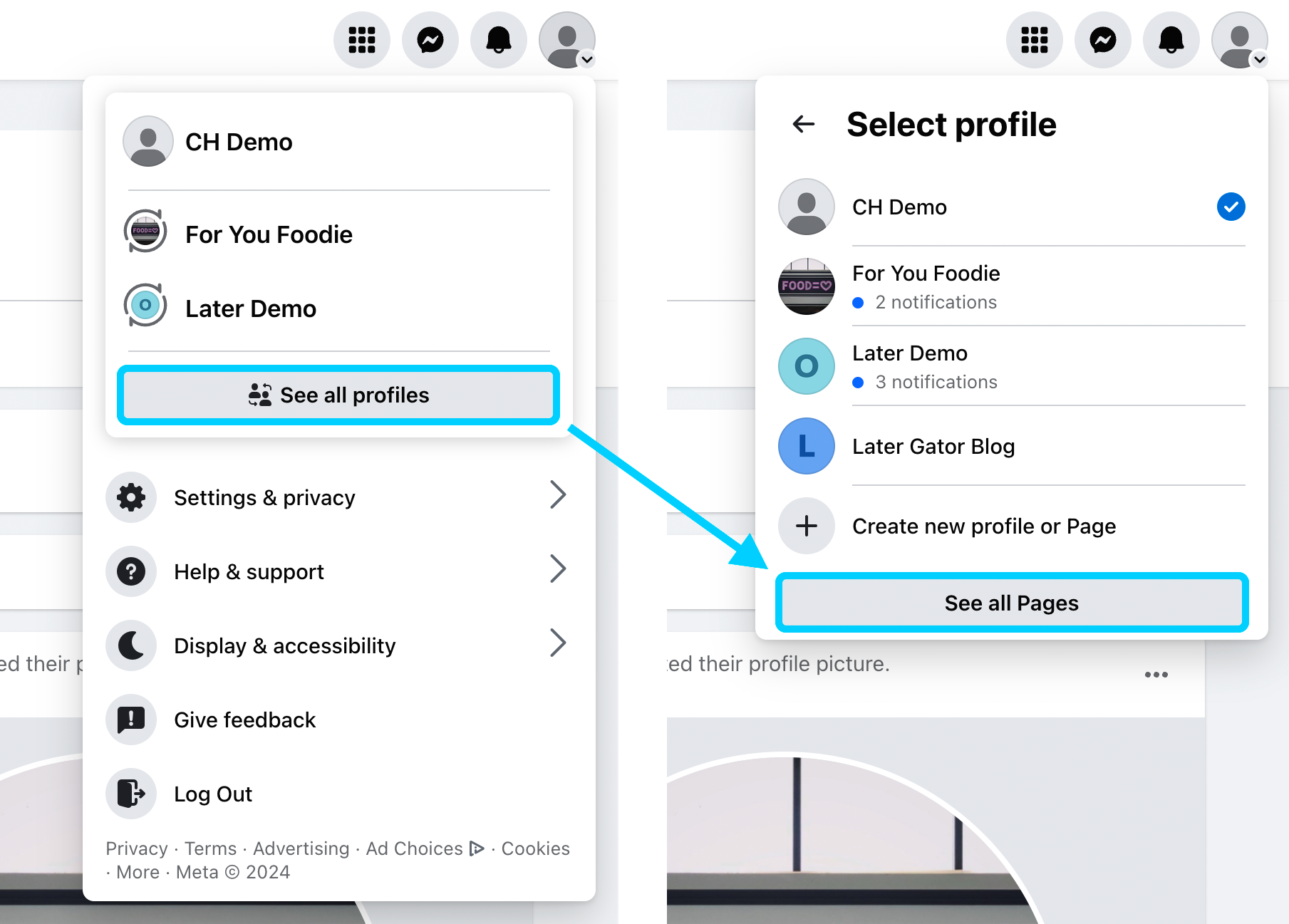
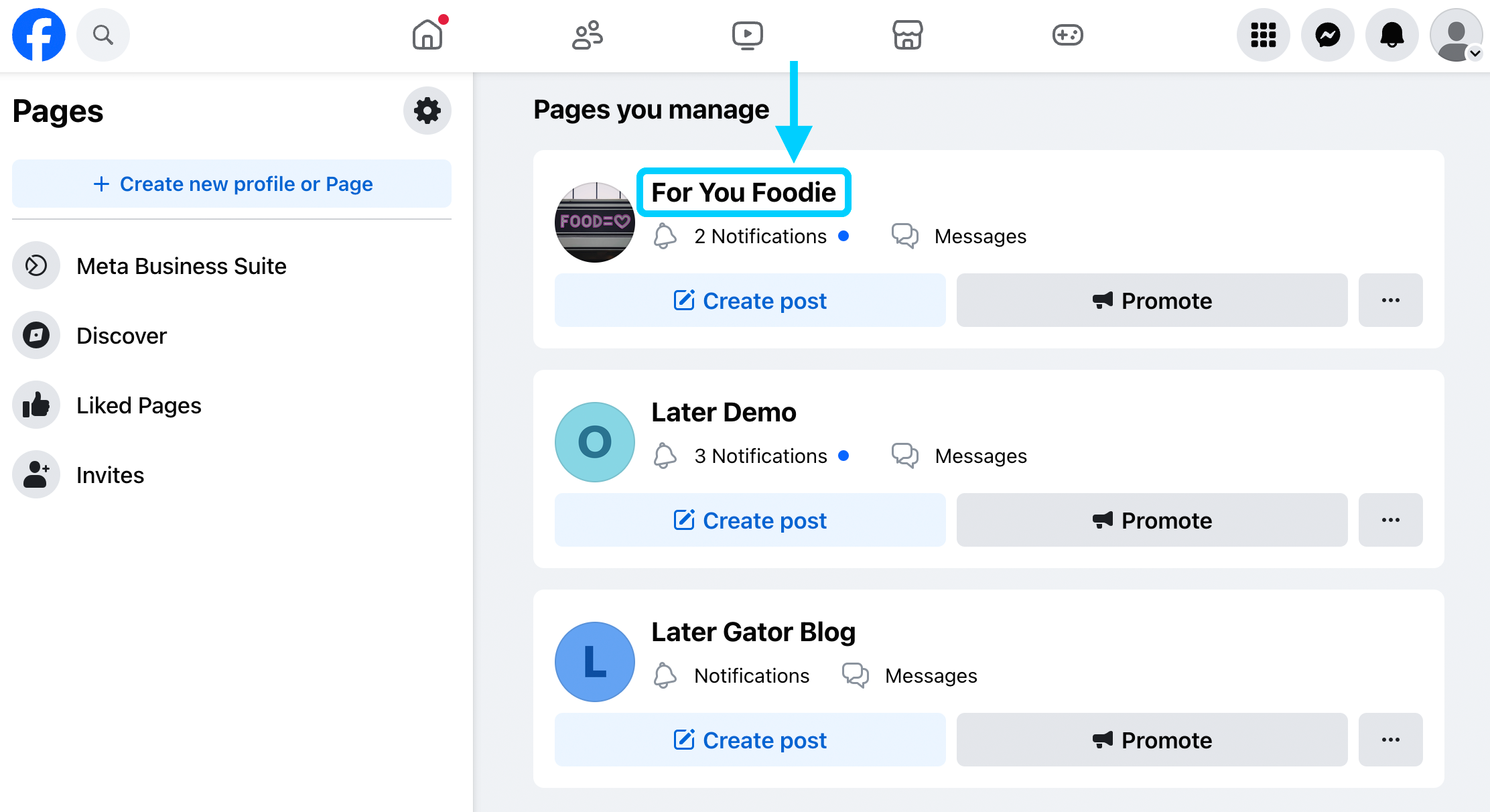
The screens below are from the Later Help Center, used with permission. The names in the pictures are Later’s demo accounts. Yours will be different.
Before you start
You need the Instagram login, and full control of the Facebook Page. A personal profile is not a Page.
Step 1
Switch Instagram to a professional account
Open the Instagram app. Go to your profile, then the menu, then Settings and activity.
Tap Account type and tools, then Switch to professional account. Choose Business.
Pick a category, such as the kind of shop you run, and finish the prompts.
Instagram’s own guide shows this switch. If the account is still personal, Facebook also asks you to switch when you connect it in the next step.
Step 2
Connect that account to your Facebook Page
On Facebook, open your profile photo, then See all profiles, then See all Pages.
Under Pages you manage, open the Page.
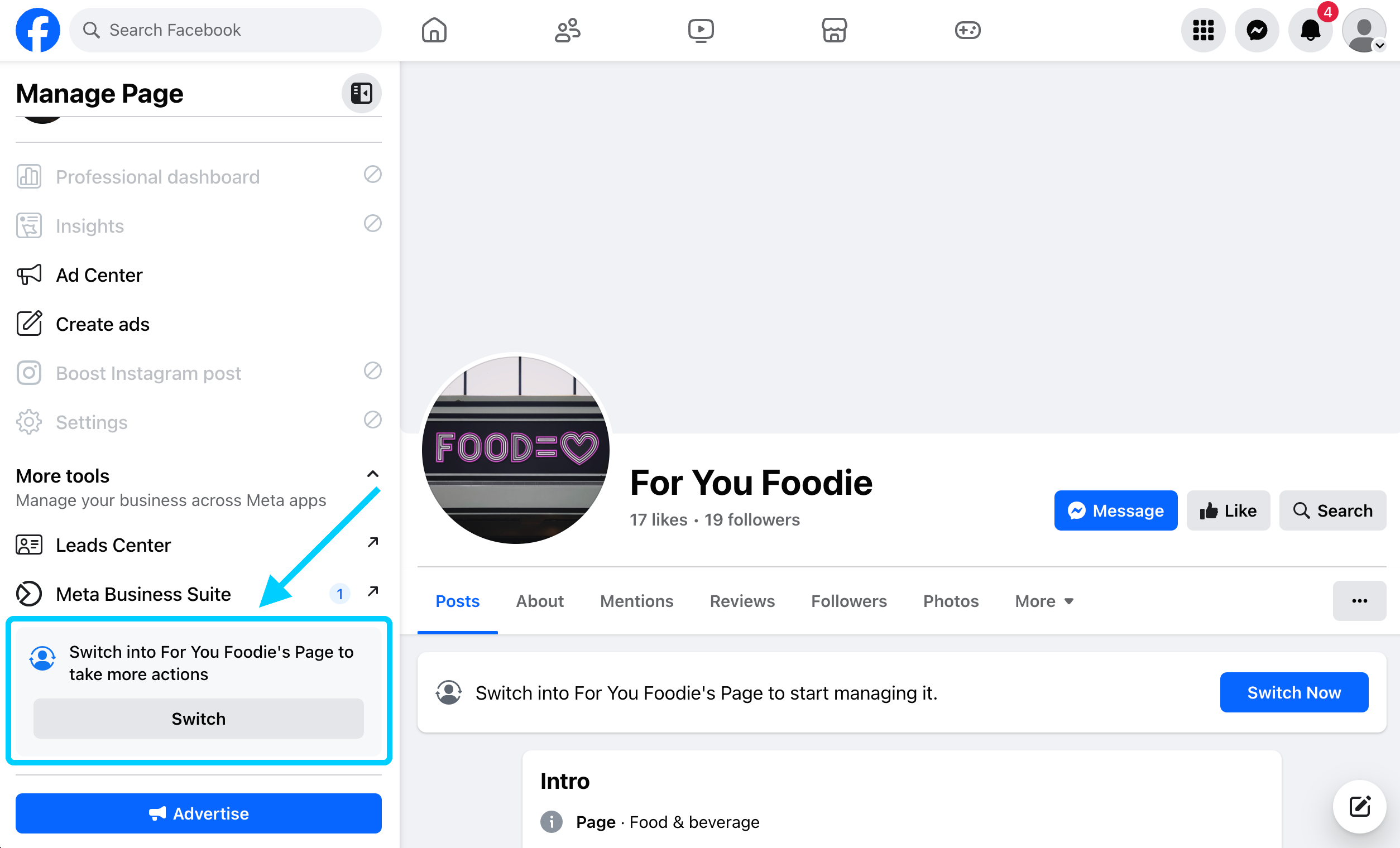
Tap Switch so you are acting as the Page. If you do not see Switch, you are already on it.
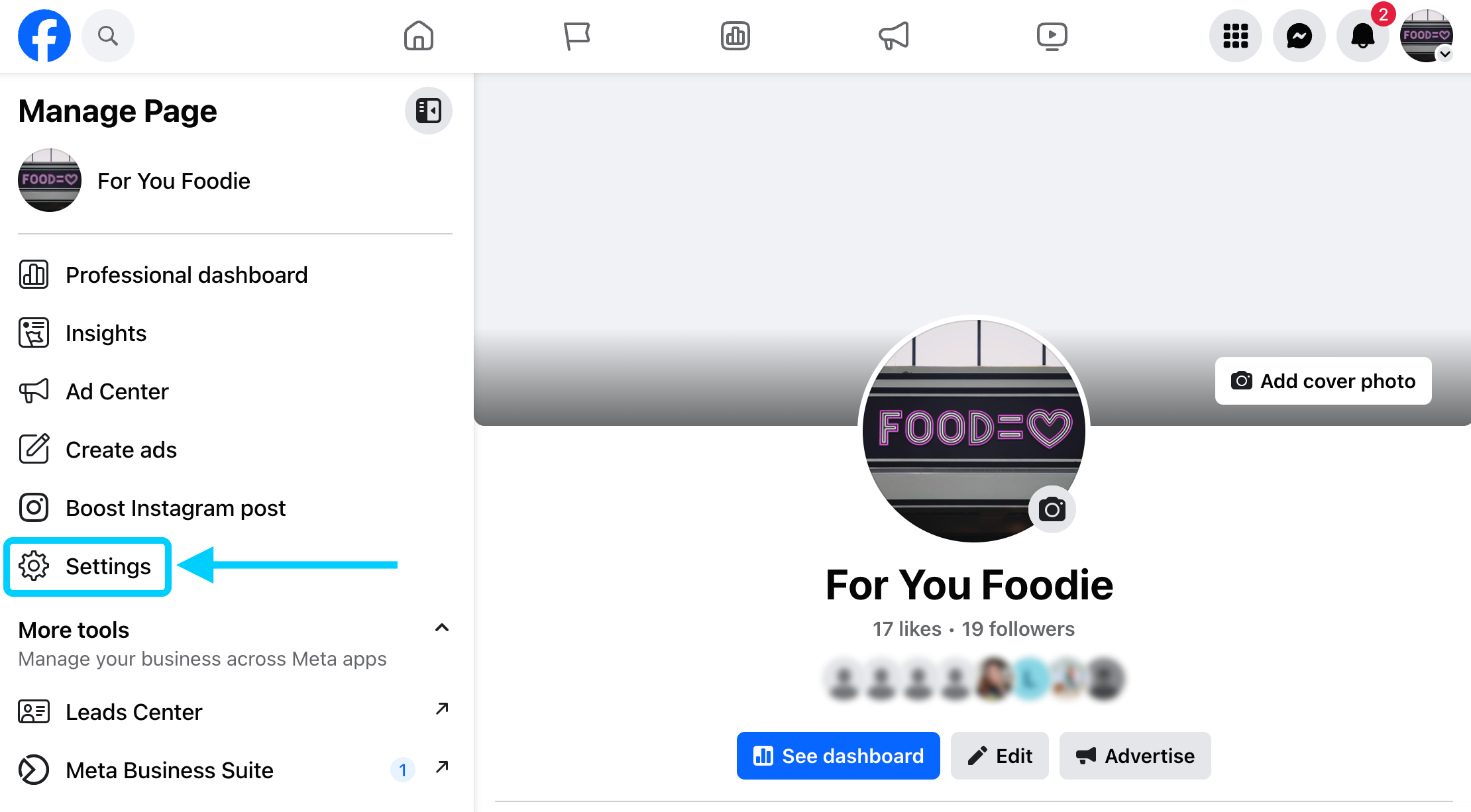
Open Settings.
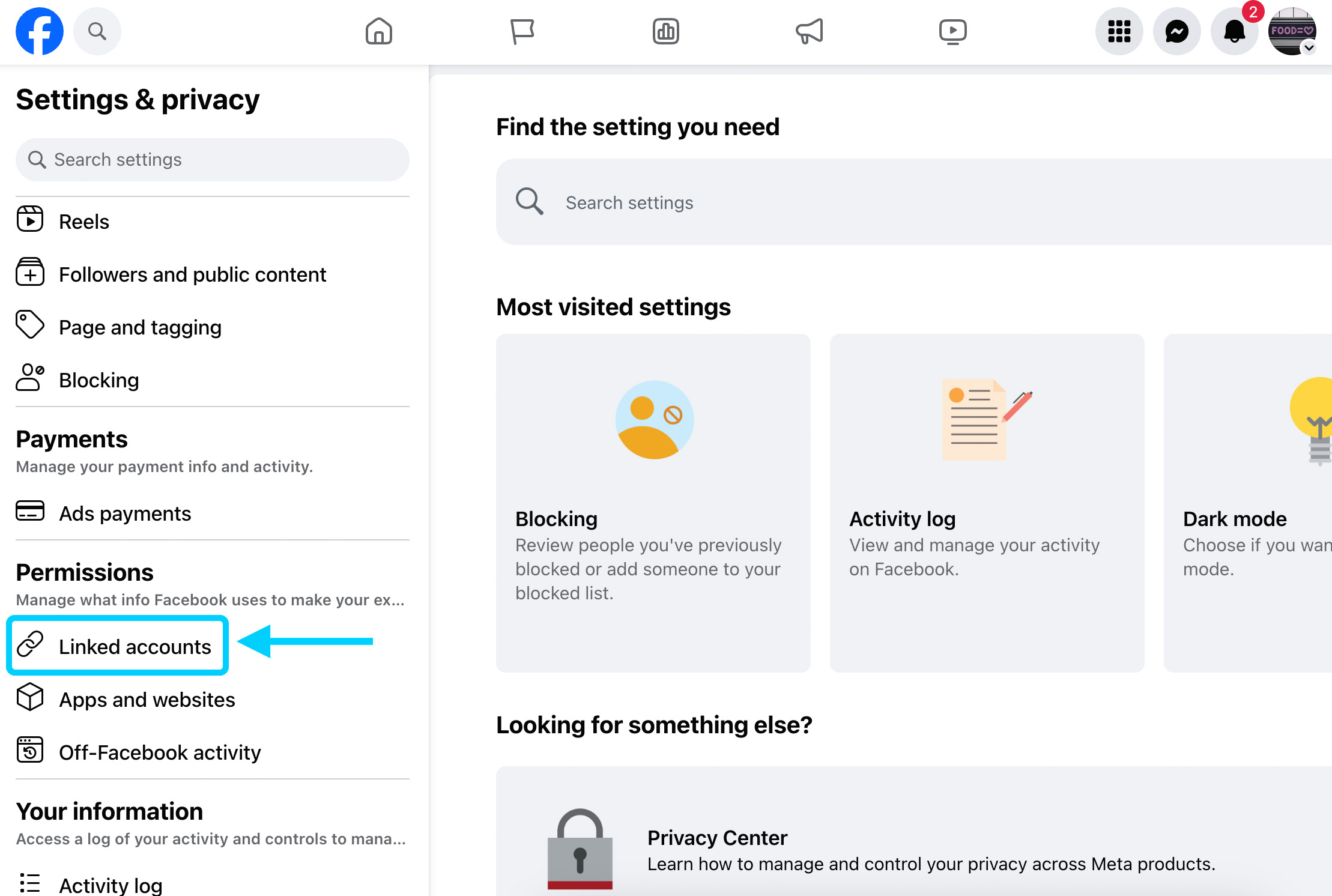
Under Permissions, open Linked accounts.
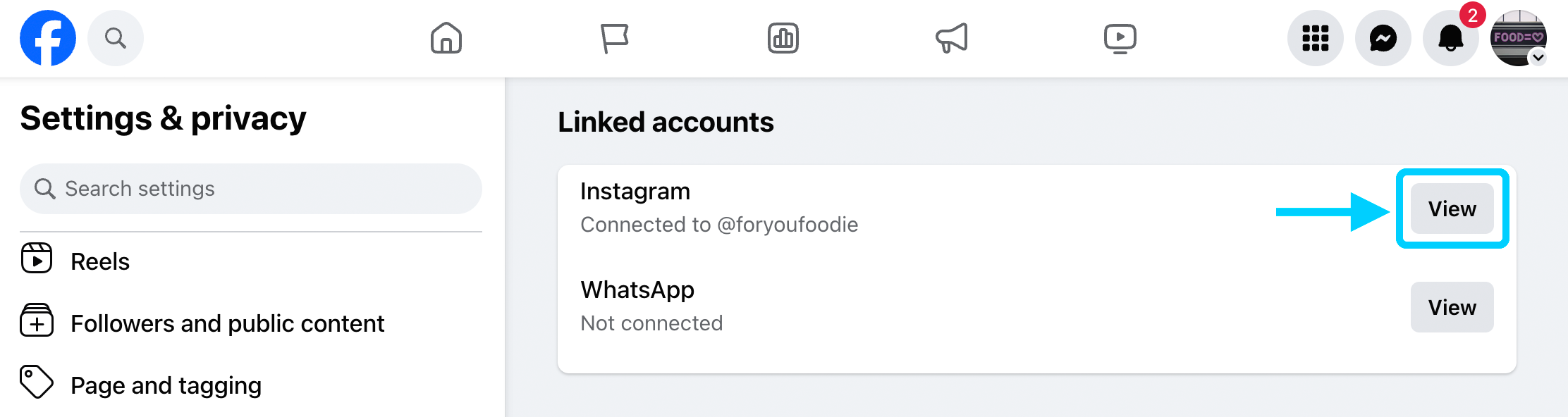
Next to Instagram, tap View. If the right account is already listed, you are done.
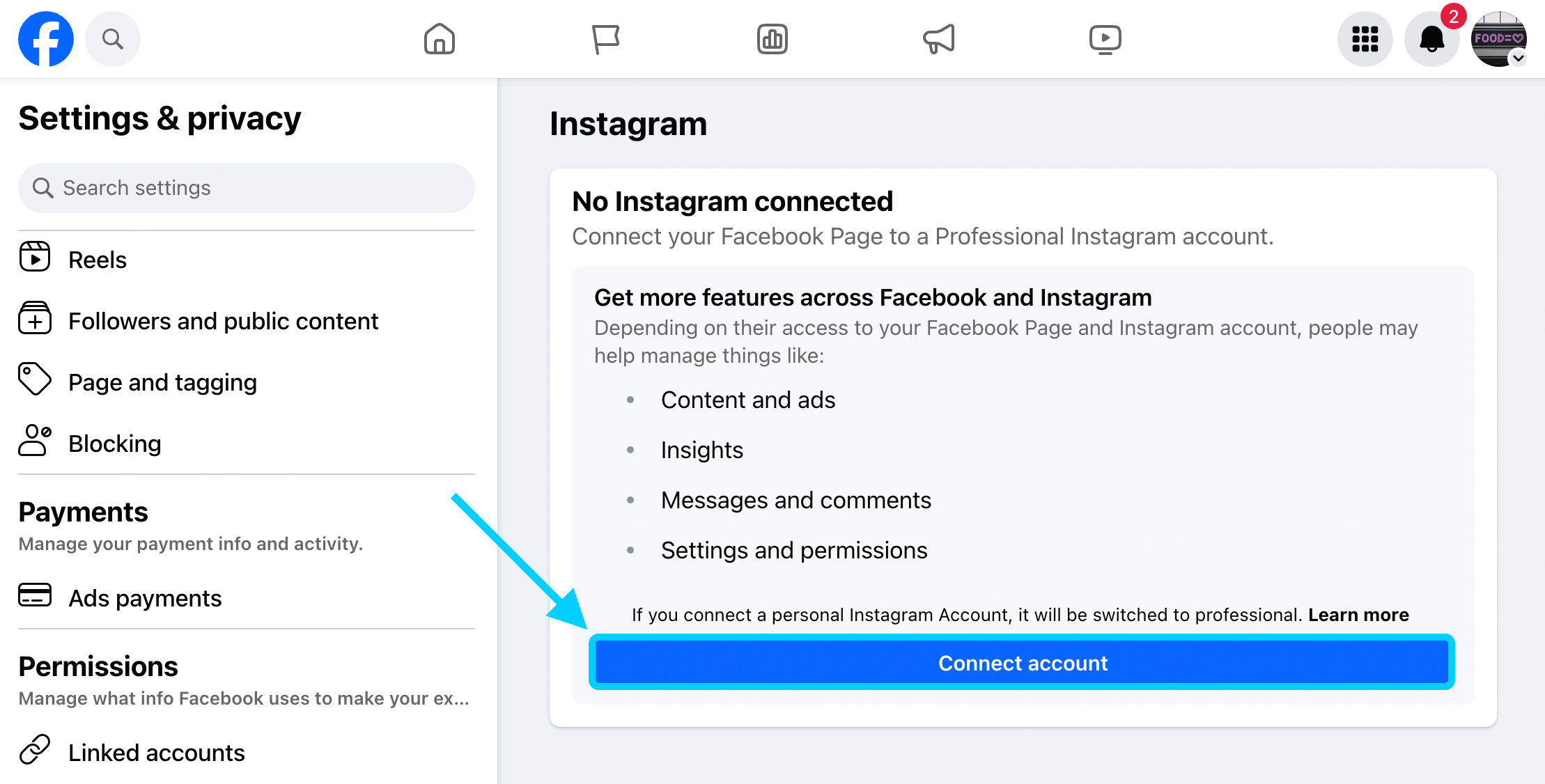
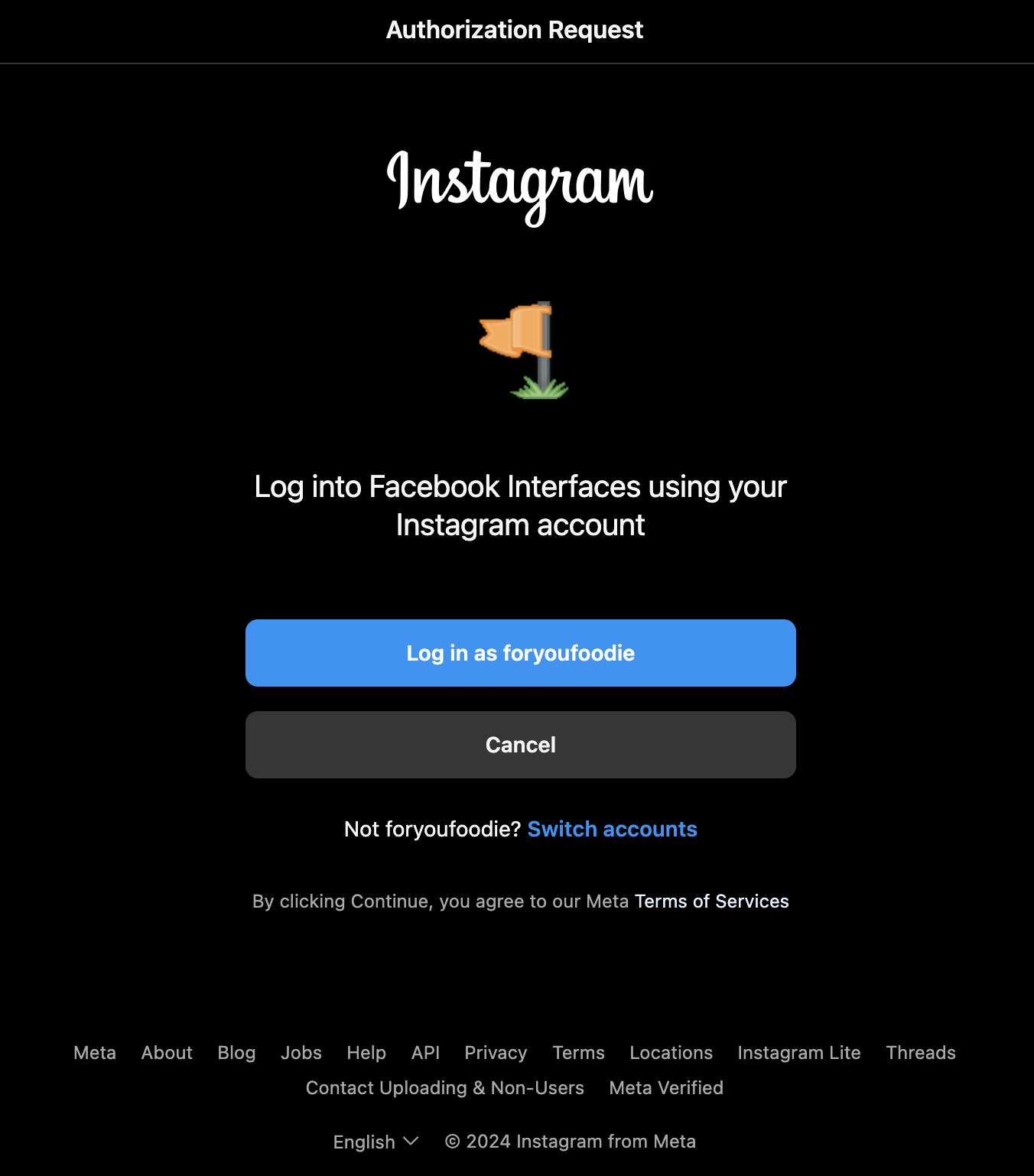
If nothing is connected, tap Connect account. Log in to Instagram and confirm. A personal account is asked to switch to professional before it can finish.
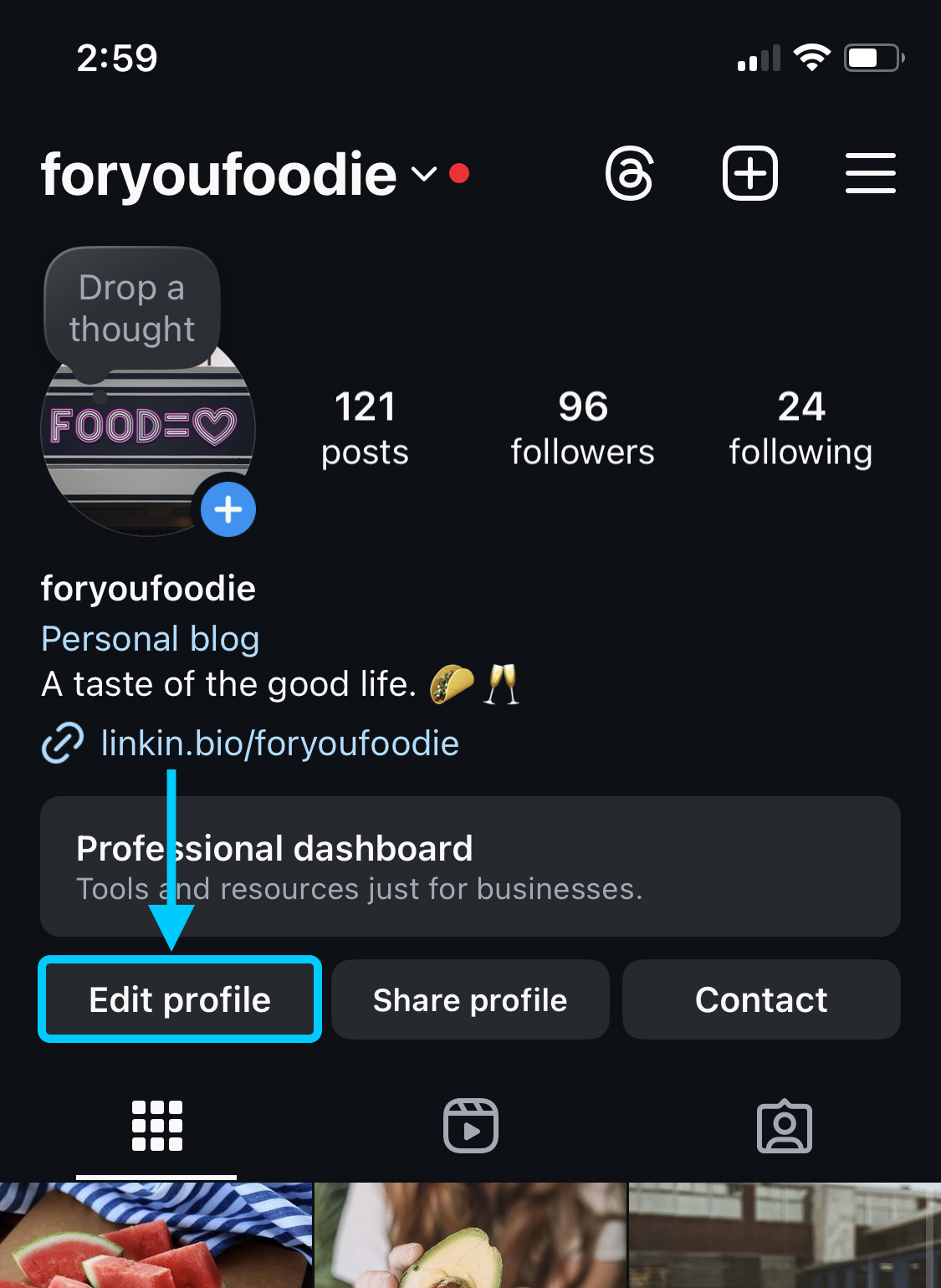
You can also start in the Instagram app. Open your profile, then Edit profile.
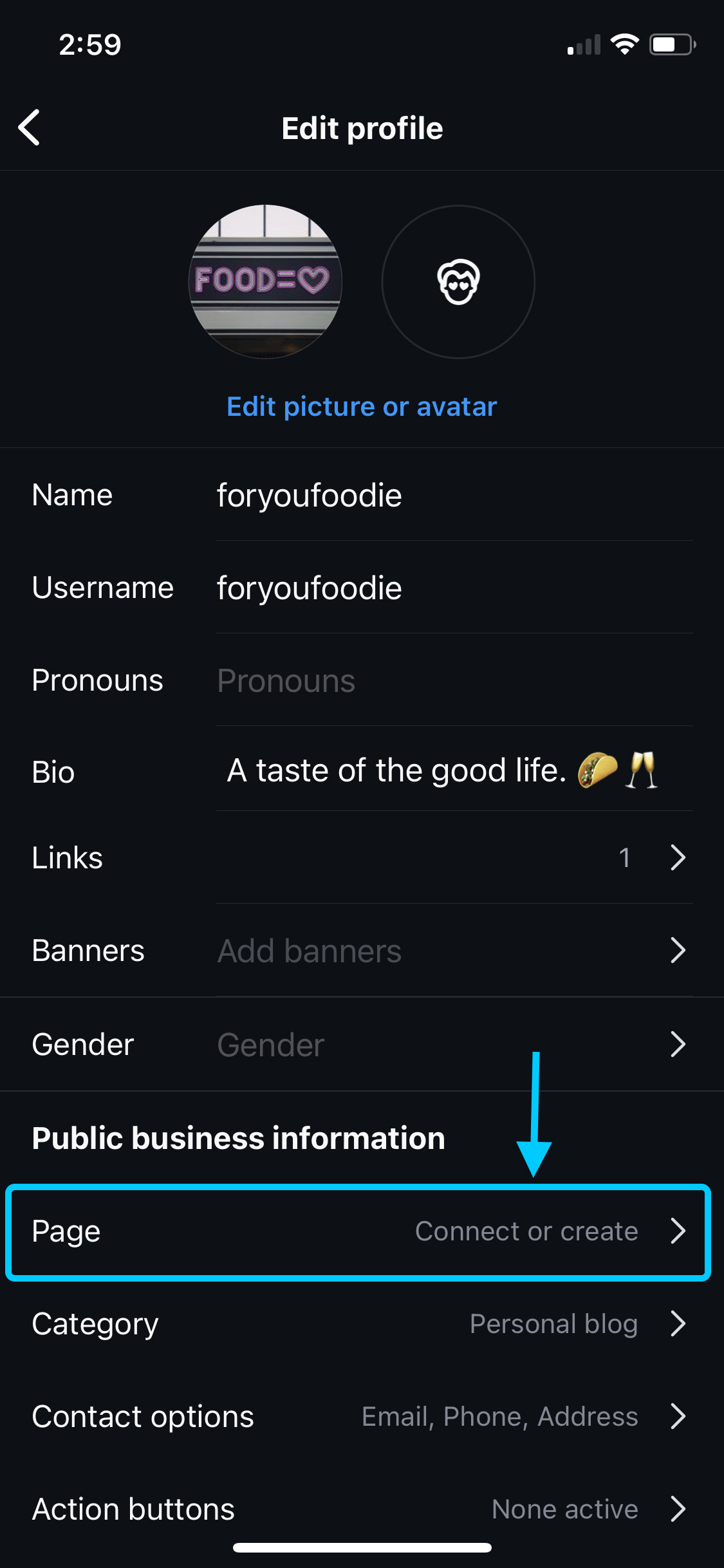
Under Public business information, tap Page, then Connect or create. Choose the Page, then finish.
Step 3
Connect Instagram in Panda
Sign in to Panda. Open Settings. On the Instagram card, tap Connect Instagram.
Log in with the Facebook account that controls the Page, and allow access to that Page.
Open Post to Page and choose the Page. You should see the Instagram name.
If the list is empty, the Page link in step 2 did not stick. Finish the screens above, then tap Reconnect Instagram.
An Instagram post still needs a photo or a video. A caption on its own will not publish.